Data Protection
Your Security Stack Is Working Perfectly. That’s the Problem.
Every control in your stack can work exactly as designed, and your data can still walk out the door.
That isn’t a breakdown. It’s the design.
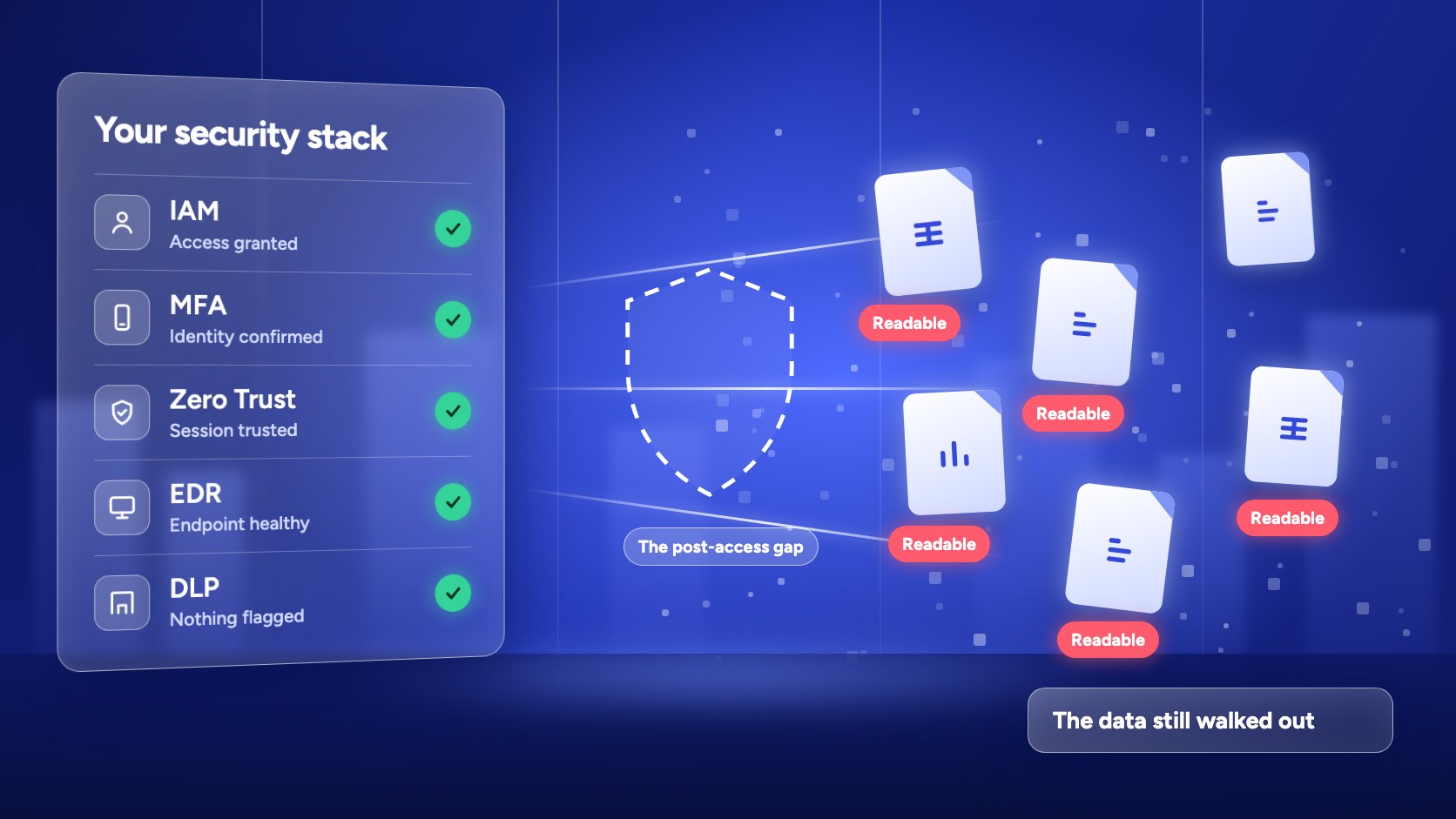
Picture a breach where every control works. The attacker signs in with valid credentials, or slips in through an unpatched server. MFA is satisfied. The session is trusted. The endpoint looks healthy. Nothing unusual crosses the exits DLP is watching. And the data still leaves, readable.
That isn’t a failure of your stack. It’s the edge of what it was built to do. Each control answers a question about access or watches for something that looks wrong. When everything looks right, the file has no protection of its own. That’s the post-access gap.
Better versions of the same tools won’t close it, because they’re all built to answer the same questions. Closing it means asking a different one: if someone gets in anyway, does it matter?
What each control does well, and where it stops
| Control | What it does well | Where it stops | What’s still missing |
|---|---|---|---|
| IAM | Decides who gets in, across every system | Its job ends when access is granted | Something that governs what that identity can do with the file |
| MFA | Confirms identity at login | Says nothing about the session afterward, and agents using tokens never see it | Something that stays in force for as long as the file is in use |
| Zero Trust | Evaluates whether access should be granted | Governs the session, not the file inside it | Something that governs the file whether or not the session is still trusted |
| EDR | Catches malicious behavior on the endpoint | Permitted activity doesn’t look malicious | Protection that doesn’t depend on behavior looking wrong |
| DLP | Catches data movement that matches a policy | Normal-looking use gives it nothing to match | Protection that stays with the file whether or not its movement looks unusual |
| Encryption (at rest) | Keeps stored data unreadable without the key | A valid session gets the key | Encryption a valid login alone can’t unlock |
| DSPM | Shows what sensitive data you have and where | Doesn’t enforce what happens once someone reaches it | Enforcement of the policy that discovery identifies |
| CNAPP | Secures how your cloud environment is configured | Works at the environment, not the file inside it | Protection that holds whatever the configuration |
| UEBA | Flags unusual user activity | Often flags it after the data has moved | Prevention at the moment of use |
Nine controls. Nine places they stop. One gap they all leave open.
Prevention has a ceiling
Every tool above shares a goal: make a breach less likely. That’s worth doing, but it has a ceiling. However good your controls get, the probability of a breach never reaches zero, and the cost when it happens keeps climbing. The average breach now costs $4.99 million globally and $11.5 million in the U.S. (IBM, 2026)
That’s why the question in the gap matters more than another percentage point of prevention.
- Your current stack lowers the odds of a breach.
- PostAuth lowers what a breach costs you when the odds don’t hold.
DRM had the right idea
Rights management was the first serious attempt to protect the file itself, and it got the most important thing right: protection should travel with the data and govern how it’s used, not just who can reach it.
What held it back was everything it depended on. Protection applied only to files someone had labeled correctly, so the files most likely to be overshared were often the ones left unprotected. It worked only in applications with the right plugin or built-in support, so engineering files, CAD tools, and anything outside the supported list fell through. And sharing outside the organization often meant asking recipients to install matching software. Many DRM programs stalled long before they protected most of the data they were meant to.
Post-Access Data Security keeps what DRM got right and removes what held it back:
- Protection doesn’t wait for a label. Protect a folder, and every file in it is covered, whether it was labeled correctly or not.
- No plugin for every app. Protected files open in the applications people already use, from Office to CAD.
- It goes where the file goes. Partners can work with protected files without moving onto a new platform.
- It governs every request, for people and AI agents alike. Your policy decides what can be opened, copied, extracted, or shared, each time.
DRM asked, “Is this file labeled, and does this app support it?” PADS asks, “Does this request meet your policy?”
The standards you answer to assume it’s closed
| Standard | What it asks of you | Where it stops | What’s still missing |
|---|---|---|---|
| Breach notification laws | Disclose when data is accessed or acquired without authorization | Triggers are generally tied to access or acquisition, and the specifics vary by jurisdiction | A way to show what the data was worth to whoever took it |
| Safe-harbor and encryption provisions | Reduce obligations when data was encrypted | They’re typically written around encryption at rest | Encryption that survives a valid login |
| Audit frameworks (CMMC, HIPAA, GLBA, ISO, NIST) | Show access controls are correctly configured | Audits generally verify that access was controlled, not what happened after | Something concrete to show about data protection after access |
| Standard of care in litigation | Match reasonable industry practice at the time of a breach | Benchmarks tend to reference access-layer controls | Protection that goes beyond what the benchmark currently asks |
What closing the gap takes
None of this means ripping out what you have. Your stack still does essential work. What’s missing is protection with a different set of properties:
- It stays with the file. Protection that lives in the environment stops at the environment’s edge.
- It doesn’t wait for a label. Imperfect tags can’t be the trigger for protection.
- It doesn’t depend on the application. Protection can’t require a plugin for every app, or rely on whatever opens the file to cooperate.
- It doesn’t depend on the activity looking wrong. Valid access, normal behavior, and a healthy endpoint are exactly the cases to cover.
- It covers human and AI actors. An agent with legitimate access is another actor with access.
- It works alongside what you have. Closing the gap shouldn’t mean replacing your stack.
That’s the specification for Post-Access Data Security, and it’s what PostAuth is built to do. See How PostAuth Works →
Why it can’t wait
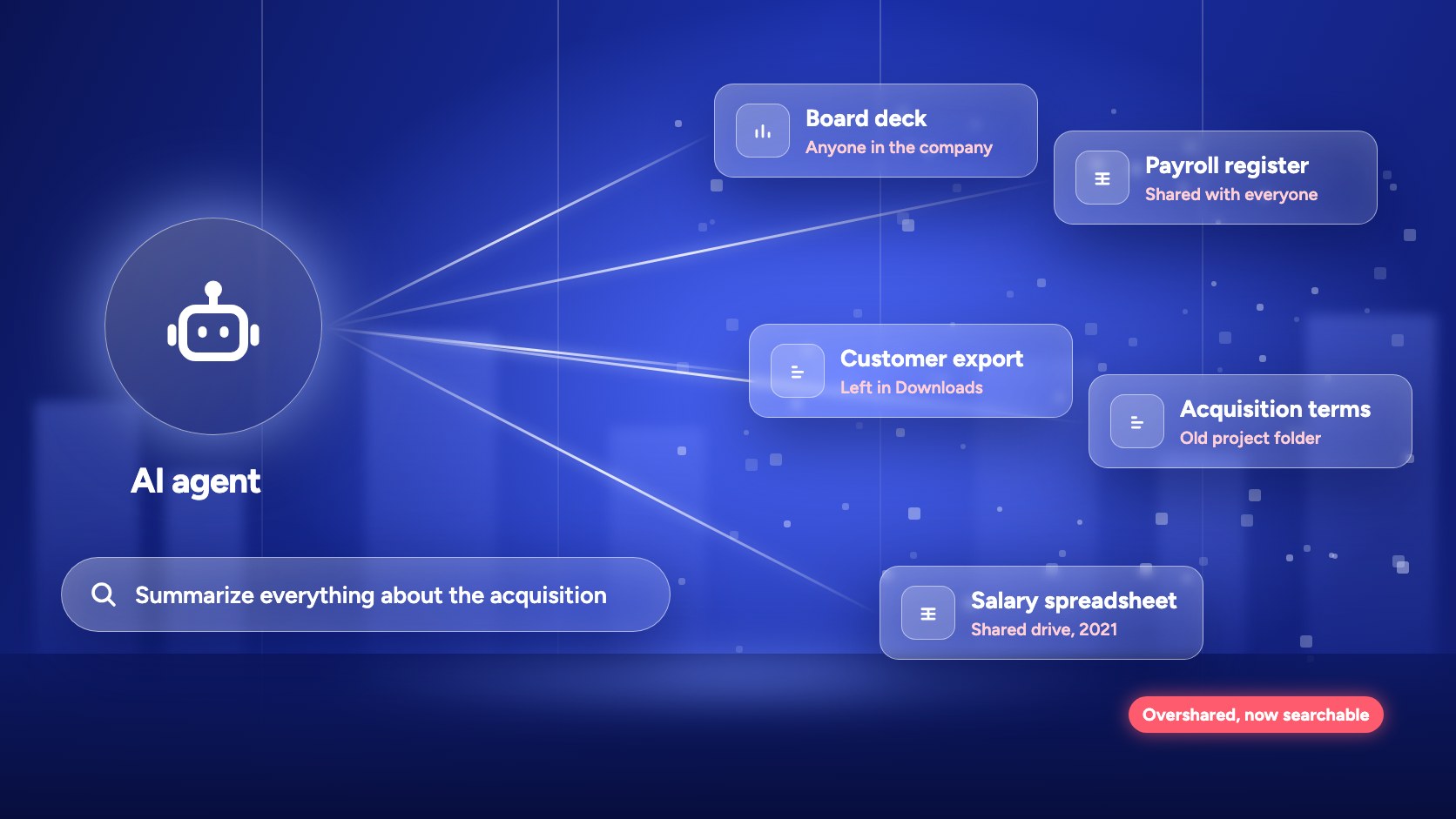
AI makes the gap wider. Agents don’t sign in the way people do. They connect through OAuth tokens, API keys, and service accounts that are granted once and keep working, with no MFA prompt and no person to notice something unusual. Most of the controls in the table above were designed around a person signing in. An agent with a valid token is a different kind of actor, and the file needs protection that holds no matter how the request arrived. We explore this further in AI Didn’t Create Your Oversharing Problem. It Made It Searchable.
The gap isn’t a temporary blind spot that better versions of these same tools will close. It’s structural: every control was built to answer a question about access, and once access is granted, its job is finished by design. Waiting for IAM, DLP, or DRM to evolve into something that protects the file itself, wherever it goes, is a bet that tools built for one job will become something they were never designed to be.
The numbers point the same way. The human element is involved in 62% of breaches, and only 26% of known exploited vulnerabilities were fully remediated last year. (2026 Verizon DBIR) Access will keep getting granted to the wrong person, the wrong agent, or the right one at the wrong time, and attackers will keep finding unpatched ways in.
Access and use are two different questions. Your stack answers the first. PostAuth answers the second.
See How PostAuth Works → · Replay the Breaches → · Talk to an Expert →