AI Data Security
AI Didn’t Create Your Oversharing Problem. It Made It Searchable.
The oversharing was always there. AI agents search everything their account can reach, at machine speed, and use whatever they find.
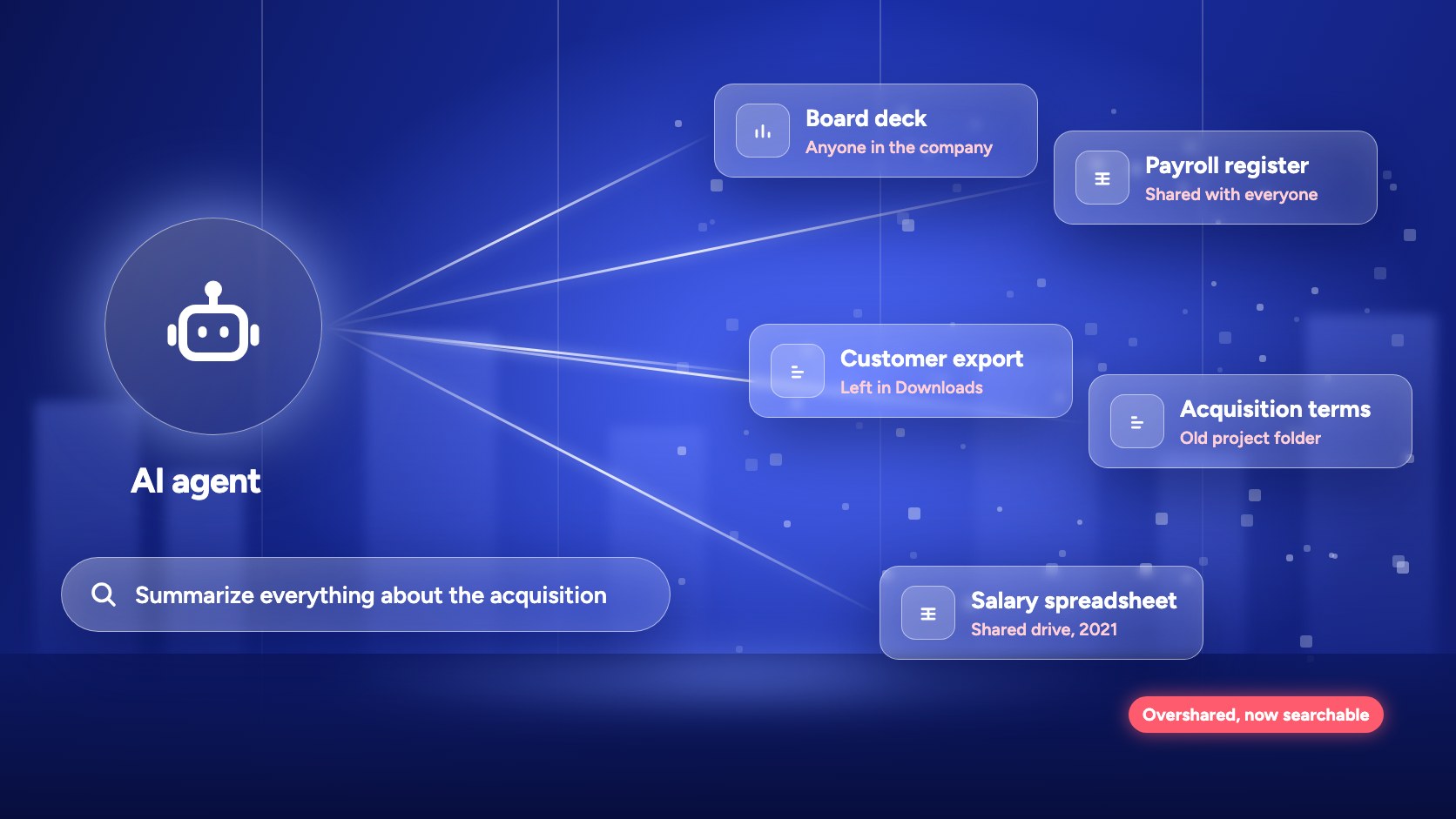
Every organization has files that are shared more widely than they should be. The board deck in a team folder anyone can open. The salary spreadsheet saved to a shared drive years ago. The customer export sitting in someone’s Downloads folder. For years, that oversharing was a quiet risk, because finding those files took effort. Someone had to know where to look.
AI agents removed the effort.
An agent asked to “summarize everything we know about the acquisition” doesn’t know which files it was supposed to see. It searches everything its account can reach and uses whatever it finds. The oversharing was always there. AI just made it searchable, at machine speed.
Agents inherit everything
Most AI assistants and agents act with the permissions of the person or service account behind them. If an employee can open a file, so can the assistant working on their behalf. If a service account was given broad access to make an integration work, every agent using that account inherits it.
That would be fine if permissions matched what people actually need. They rarely do. Access piles up over years: projects end but folder access stays, files get shared with “everyone” to get something done quickly, and groups grow until no one is sure who’s in them. Nobody intended for an intern’s AI assistant to read the payroll register. But if the permissions allow it, the assistant will.
Meanwhile, adoption is moving far faster than any cleanup effort. The 2026 Verizon Data Breach Investigations Report found that 45% of employees are now regular AI users on corporate devices, triple the year before, and that two-thirds of users reach AI services through personal accounts rather than corporate ones.
When something goes wrong, everything it can reach is exposed
Overpermissioning is a risk even when nothing goes wrong. It becomes a crisis when something does.
AI agents authenticate through API keys, access tokens, and service accounts. There’s no MFA prompt and no person to notice something unusual. Agents can be given guardrails to recognize suspicious instructions, but those guardrails live inside the AI model, and prompt injection attacks are designed to get past them by making malicious instructions look legitimate. Credentials can also be stolen outright, through a compromised software dependency or a misconfigured permission.
When that happens, the attacker inherits everything the agent can reach. Hijacking is the trigger. Overpermissioning decides how much damage it does.
Why your security stack doesn’t catch it
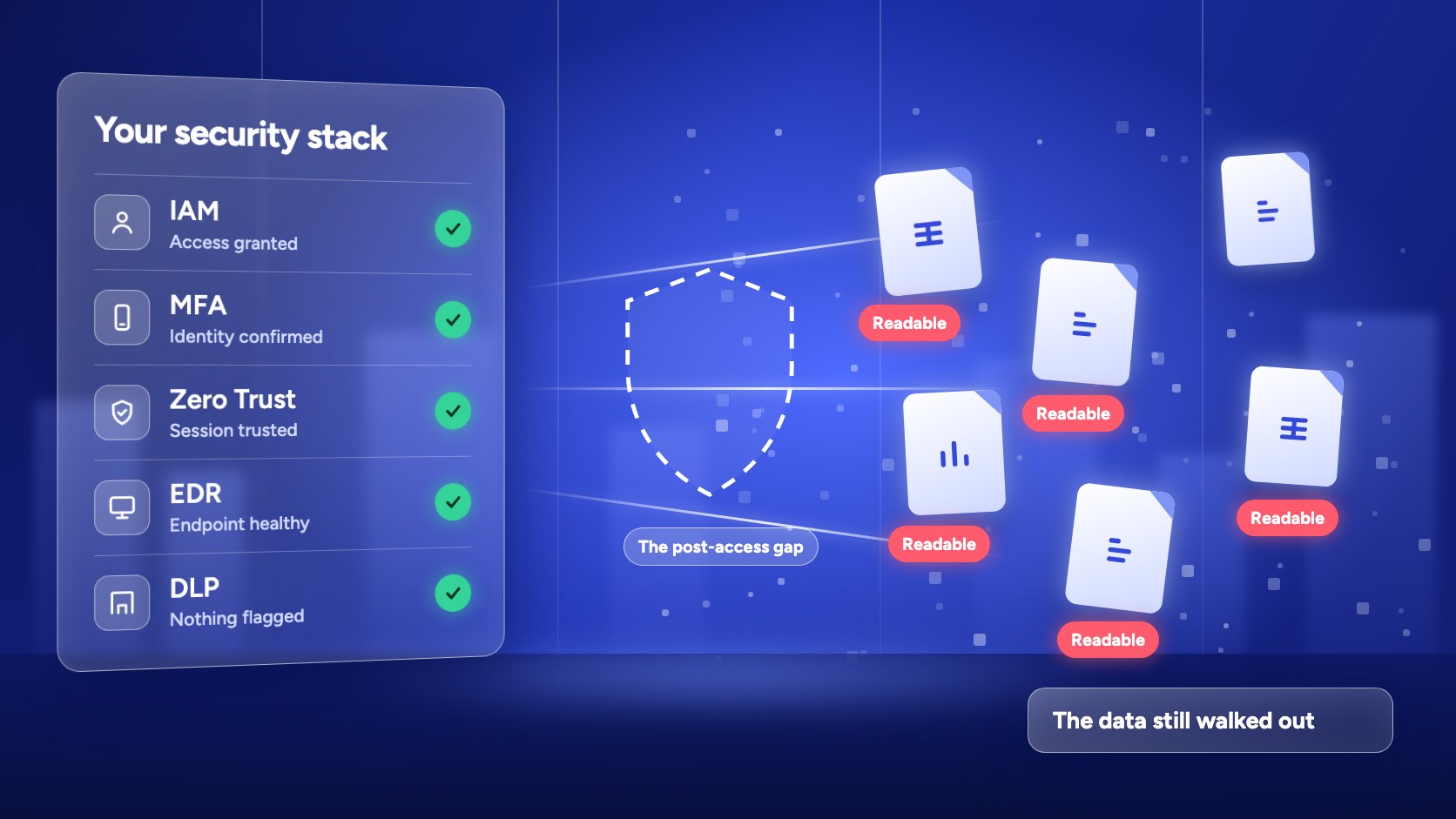
It’s natural to assume existing controls cover this. Each one does its job well. But none of them is designed to answer the question that matters here: should this agent be using this file?
Identity and access management grants access based on permissions, and the permissions are the problem. It confirms the agent’s account is allowed to open the file, and it is.
MFA protects human sign-ins. Agents don’t complete MFA prompts. They use tokens that were issued once and keep working.
Zero Trust and conditional access decide whether a session should be allowed, based on identity, device, and context. An agent with a valid token on an approved system passes. These controls don’t evaluate each file the agent reads afterward.
Access reviews and permission cleanup are periodic and largely manual, while agents act continuously. By the time a review catches an overshared folder, agents may have read it many times.
Data loss prevention watches for sensitive data leaving through known channels. But an approved AI assistant is an approved channel, and what comes out is usually a summary or an answer, not the file itself, which leaves DLP little to recognize.
Sensitivity labels and classification only protect what’s labeled correctly. Overshared files are often exactly the ones nobody got around to labeling.
Data security posture management can find overexposed data and report it. Finding it doesn’t fix it, and the fixes become another backlog.
Endpoint detection looks for malicious behavior. An agent reading files is exactly what agents are supposed to do.
Then there’s the agent’s own log, which only shows what the agent chose to record. If an agent starts a script, and that script reads a credentials file or a customer export, the agent’s log may never mention it.
The common thread: every one of these controls makes decisions about access. The risk lives in what happens to the data after access has already been granted.
Protect the files, not just the permissions
The usual advice is to fix permissions first: audit every folder, remove stale access, and right-size every account before deploying AI. It’s worthwhile work, but it’s rarely finished, and most organizations can’t put AI adoption on hold until it is.
Post-Access Data Security takes a different approach. It puts the protection in the file itself.
See what agents actually read. Every file opened on the device is recorded, including files read by scripts an agent starts, and tied to the person behind it. You learn what your agents can really reach from what they actually do, not from what their logs report.
Protect what matters, wherever it sits. Choose the folders that hold your most sensitive data, and every file in them is encrypted with your policy attached. Unlike DLP and rights management, that protection doesn’t depend on a classification label being right, so an overshared file nobody labeled is protected exactly like one that was. And unlike rights management, there’s no plugin to install for each application. Protected files open in the apps people already use, from Office to CAD, so protection doesn’t slow down everyday work or AI adoption.
Let your policy decide, not inherited permissions. An agent your policy doesn’t authorize gets only ciphertext. An authorized agent can read what your policy grants, while your policy decides whether it can extract or share the contents.
That changes what oversharing means. An overshared payroll file stays encrypted to any agent your policy doesn’t approve, even if the folder permissions would have let it in.
You can’t clean up every permission. You can protect every file that matters.
AI isn’t going away, and neither is the oversharing it exposes. The question is whether your most sensitive data is protected at the layer where it’s actually being used.
PostAuth built Post-Access Data Security to protect data after access is granted, whether the user is a person or an AI agent. Learn more at postauth.ai.